
Welcome to Our Site

We have just change our site to be more colorful. We try to add some categories to this sites for you. We really hope you will be more comfortable to read the posts.
We change the language into English now, but don't be afraid. We have put the translator in this site for you. So if you are Indonesian (or you're from other countries) and know nothing about English, you can use the translator. We guarantee you won't find any troubles with the words.

Just hit the posts and have fun!
Please feel free to drop your comments here.

Best Regards,
BangMuk
Sign up for PayPal and start accepting credit card payments instantly.
Showing posts with label BLOG TUTORIAL. Show all posts

Sunday, May 8, 2011

KAMUS ISTILAH BLOGGER (Blogger's Dictionary)

As a blogger you will find a lot of words such as, favicon (favorite icon), CSS, Feed Burner, etc.

Therefore, you need this free e-book (E-book gratis). Although this e-book has 16 pages, I think it's very helpful for the beginner to know more about blog. Here is the preview:
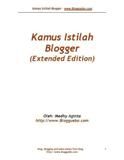


Title             = Kamus Istilah Blooger (Extended Edition)
Author         = Medhy Aginta
Pages           = 16 pages
Language     = Bahasa Indonesia
Published     = 2008

Preview      = This e-book lists the words relating to blogger. For example, Blogroll adalah Fitur blog yang sangat populer yang memungkinkan pemilik blog menampilkan daftar blog-blog lain yang direkomendasikannya. Fitur ini biasanya ditampilkan di bagian sidebar. Namun saat ini semakin sedikit blog yang menampilkan blogroll.



Download PHP Designer Professional 2008 v6.1

Hey, continuing my last posting about "Mastering HTML Code", This post will offer you the software needed. Yeah...that's right. It's PHP Designer. I have created this link for you to download. You know? All of these links are free!

Before downloading the link, let me give you short review how to download it.

Actually, you can go directly to isohunt. Type "php designer" in the search and you will see the lists of your words. Click the file you needed to download it. But remember, the file is torrent. So, you will need torrent downloader. There are two kinds of torrent downloaders. They are bitTorrent (4.55 mb) and utorrent (386 kb). I suggest you to choose utorrent because it's extremely tiny.

For short, Here are the links. If you have questions, just drop your comment.
BitTorrent = HERE or HERE
Utorrent = HERE or HERE
PHP Designer Professional 2008 V6.1 = HERE

Saturday, May 7, 2011

Mastering HTML Code

Hey!

Do you want to learn about HTML. You may check this out. This e-book is in Bahasa Indonesia. It talks about how to comprehend the HTM's code. If you're the beginner and want to be a webmaster, this e-book is really helpful. Here is the short review.
Title         :  Mastering Kode HTML
Author     : Rio Astamal
Released  : March 1, 2006

Here is the LINK

Note: If you want to learn about HTML code, you need  a software called PHP DESIGNER. Okay! I will find the free software and post it later. Thanks.

How to Add REPLY Button on Blog

Here is the way to add "Reply" button on your blog.
  1. Sign in to your blogger. 
  2. In your dashboard Click 'Design' > 'Edit Html'> Tick the 'Expand Widget templates' box. 
  3. Find the following code in your blogs Html: <data:commentPostedByMsg>
  4. (Click Ctrl and F for a search bar to help find the code easily)
  5. Paste the following code below  <data:commentPostedByMsg>
  6. Edits : Change "YOUR-BLOG-ID" to your own blog ID. You can see your Blog-ID on the address bar at the top of the page. Just copy it and paste. Look at this picture! The number is the blog ID
  7. At last, save your template and test the result.

Twitter Delicious Facebook Digg Stumbleupon Favorites More